WHATSAPP MANAGER FOR TEAMS

WAM is the WhatsApp manager for your business.

Your whole team behind every number.

Manage conversations, customers and tasks in a shared workspace, with one business identity for your customers.

2 users included for free.
WAM Backend

Shared inbox

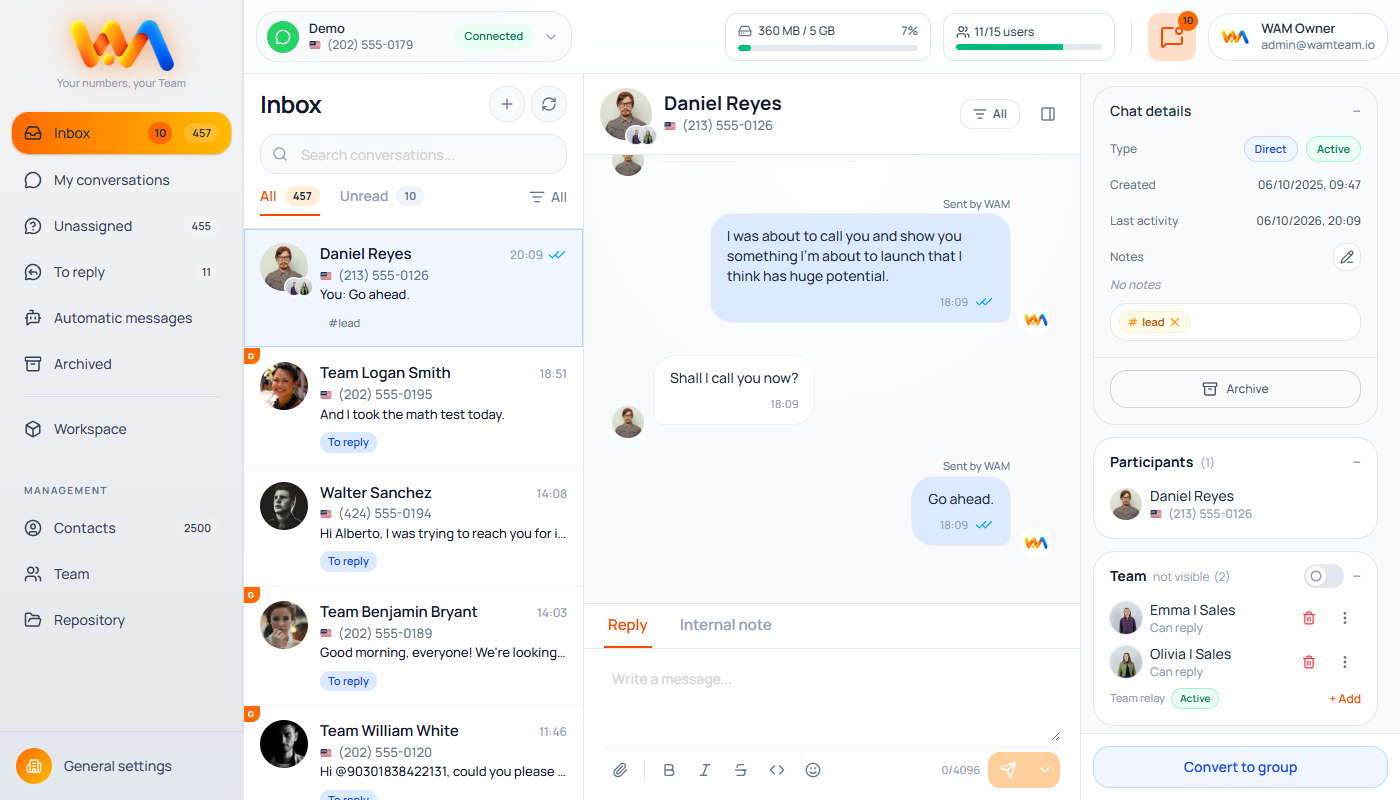
The administrator oversees all incoming and outgoing messages and can assign the right team to each conversation.

One business identity

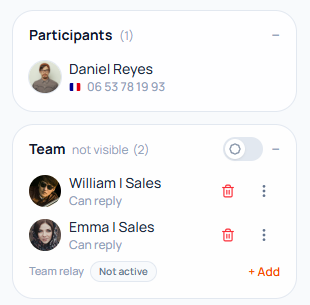
Your team’s messages are sent under your business identity without revealing team members’ phone numbers. For each chat, the administrator can choose whether to show team members’ custom display names.

Connect all your business numbers

WAM places no limit on the number of workspaces or the administrators who can oversee them.

Assign the right team to every conversation

Your team members are invited to join the conversation and can keep communicating through their official WhatsApp apps.

No message fees or message limits

WAM securely connects to your existing WhatsApp account, without usage-based pricing or message bundles.

Unlimited conversations

WAM places no limit on the direct conversations or groups you can manage.

THE WAM CONCEPT

Your number. Your team. One business identity for your customers.

WAM lets your team collaborate on business conversations while preserving your relationship with each customer.

Your customers keep talking to your business.
Behind the scenes, WAM helps you organize people, conversations, groups and tasks in a simple, consistent experience.

CUSTOMER

BUSINESS NUMBER

Logo WAM

TEAM

EVERYTHING UNDER CONTROL

One complete dashboard for all your conversations.

Manage your team’s chats, groups, contacts, assignments and media from one interface.

WAM / shared inbox

Inbox

Needs a reply

Assigned

Archived

Contacts

TEAM COLLABORATION

The right conversation, assigned to the right person.

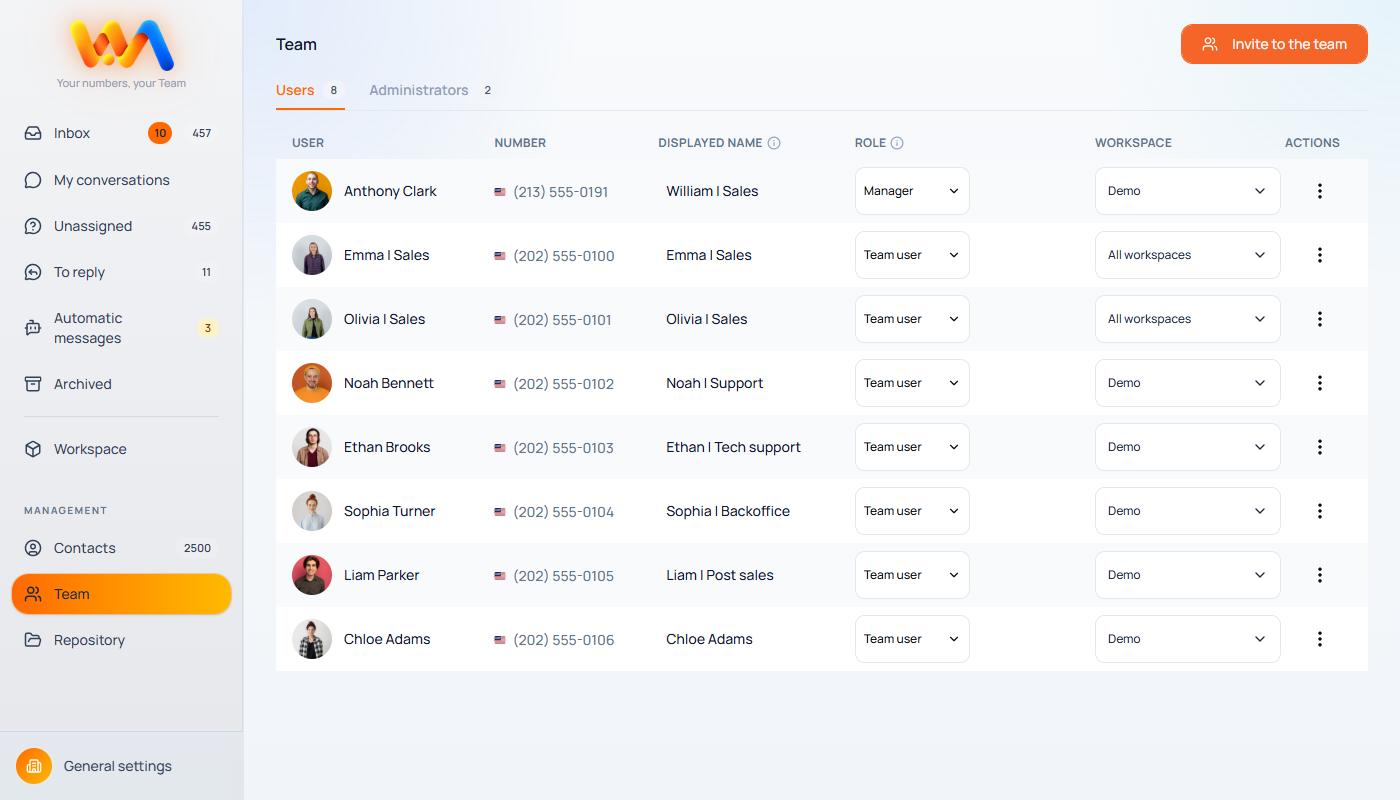
Assign your team members to chats and groups.
Each team member knows which conversations to handle, while the rest of the team keeps a shared view of ongoing work.

Marco • Customer support

Conversation assigned
PRIVACY BY DESIGN

Your customers see your business. Your team's personal numbers stay private.

Team members can join business conversations while keeping their personal phone numbers private. They use WhatsApp on their smartphones or WhatsApp Web on their computers, without changing how they work.

Your team members' personal numbers stay private.

You can choose to show customers the custom display name of the team member replying.

WAM • BUSINESS NUMBER

Marco • Customer support

Hello! I’ll help you with your request.

A FAMILIAR EXPERIENCE

Your team works in the app they already know.

Your team members can use WhatsApp to handle your business conversations, while WAM coordinates their work.

Team member's WhatsApp

Logo WAM

Business conversation

AT THE RIGHT TIME

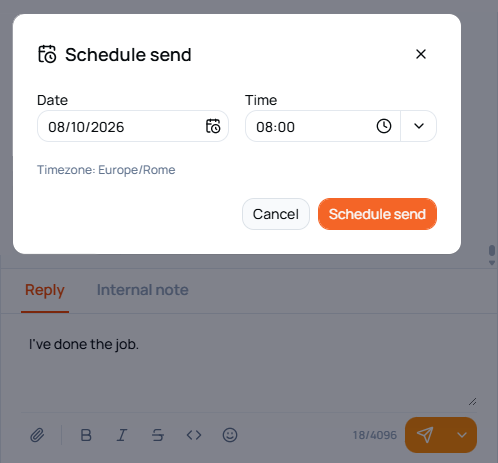
Choose when each message is sent.

You decide when messages are sent. Your team can also delay sending with WAM commands.

With WAM’s scheduled messages, you can plan your communications and choose exactly when they are sent.
WAM / scheduled message

Scheduled send

AUTOMATIONS

The right reply, even when your team is unavailable.

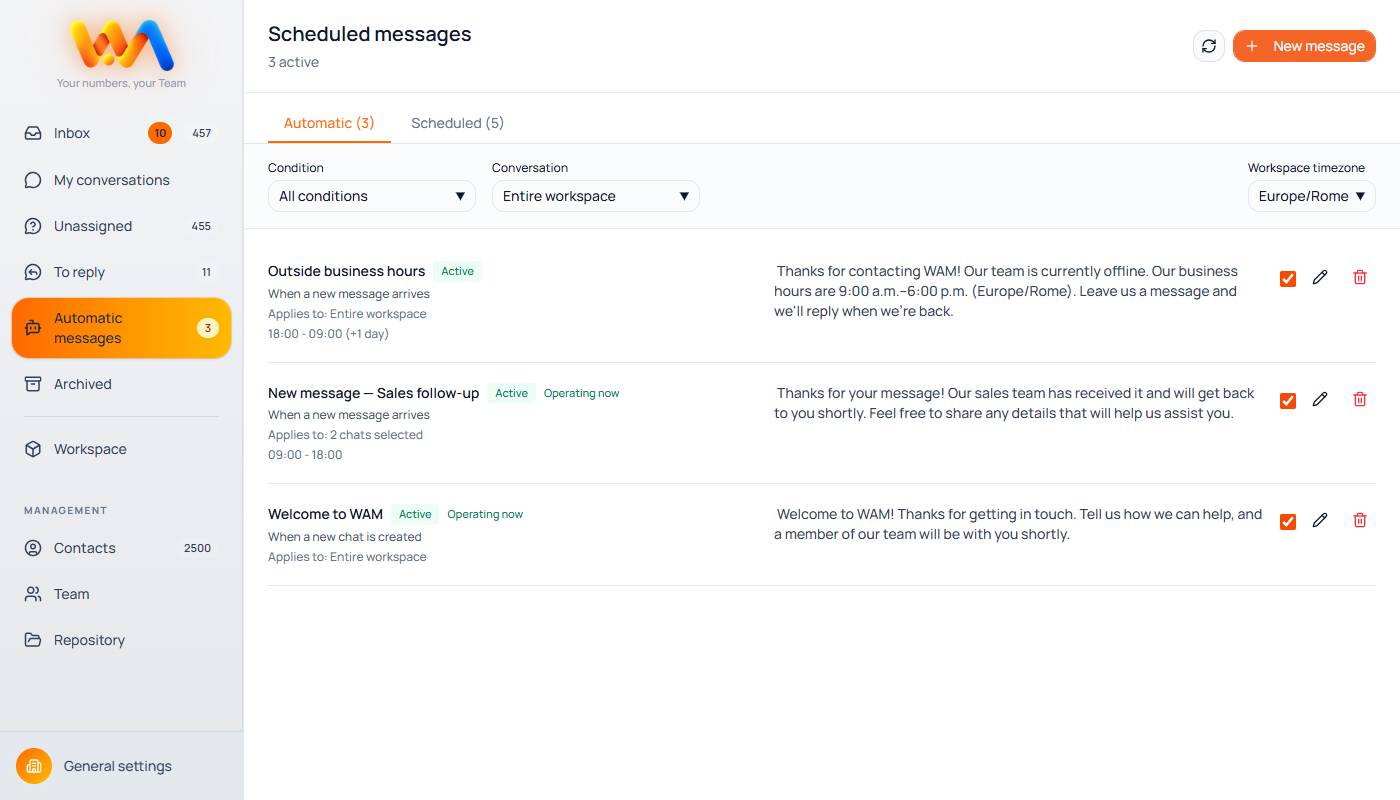
Create automatic replies and choose when they should be sent, including rules for individual conversations.

WAM helps you respond immediately to common requests and manage the first steps of a conversation.
WAM / automatic reply

Out of hours

FROM ONE NUMBER TO TEAMWORK

Get started in a few simple steps.

Set up WAM and bring your team together on your business number.
01

Create your first workspace

Create a dedicated workspace for your business and set it up to suit your needs.

02

Connect your number

Connect your WhatsApp number to the workspace you have created.

03

Assign your team

Invite your team members and assign conversations and groups to them.

Your customers keep seeing your business. Your whole team works behind that number.

NO USAGE-BASED PRICING

Simple pricing, too.

No per-message fees.

WAM does not add fees based on the number of messages your team sends or receives.

Numbers

Manage each business number in its own workspace, without unnecessarily complex plans.

Users

Grow your team as your needs change.

Messages

No WAM fee per message.

Your customer sees one number.
Your whole team is behind it.

Create your first WAM workspace for free and connect your business number.
2 users included for free.

BEFORE YOU GET STARTED

Your questions, answered.

No. WAM is designed to work with the number your business already uses.

No. You do not need a WhatsApp Business account to use WAM. You can connect an existing standard WhatsApp or WhatsApp Business account without changing your number.

No. Your team’s personal numbers stay hidden from customers.

Yes. You can choose to identify the team member with a custom display name.

You can get started for free with 2 users included. Each additional user costs €10 per month.

No. WAM does not charge per message sent or received.

Yes. You can prepare messages and choose when they should be sent.

Yes. WAM lets you configure automatic messages across your workspace or for individual chats, based on specific events and time slots.

Yes. Each workspace lets you connect one WhatsApp account. Each account creates an administrator user who can also be assigned to other workspaces. WAM’s architecture is designed to be flexible.

GROW WHEN YOU NEED TO

Pricing that makes sense at a glance.

Start for free. Add people as your team grows.

WAM FREE

€0

Get started now. No credit card required.

2 users included for free.

WAM BUSINESS

€10

per additional user / month

Secure checkout & billing powered by

Add users only when your team grows.

LET'S TALK

Want to know if WAM is right for your business?

Get in touch. We’ll help you organize your team on WhatsApp with WAM.